Downloads
Guides
- Installation
- Build for yourself
- Update to a newer build of the same LineageOS version
- Upgrade to a higher version of LineageOS (e.g. lineage-20 -> lineage-22.2)
Special boot modes
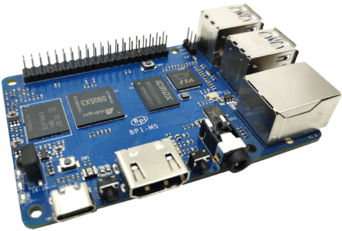
- Bootloader/Fastboot/Download: With the device unplugged, plug in the device while holding the SW3 Button on the board until you see a logo on screen. At this point you can communicate with the device by utilizing Amlogic’s update tool, and run ‘sudo ./update bulkcmd fastboot’ to enter fastboot mode.
- Burn Mode: With the device unplugged, plug in the device while holding the SW4 Button on the board until you see a logo on screen. At this point you can communicate with the device by utilizing Amlogic’s update tool.
Known quirks
Find help online
You can find assistance with LineageOS on our subreddit, on our Discord server, or in #LineageOS on Libera.Chat.
Report a bug
If you’d like to report a bug, follow the instructions here.